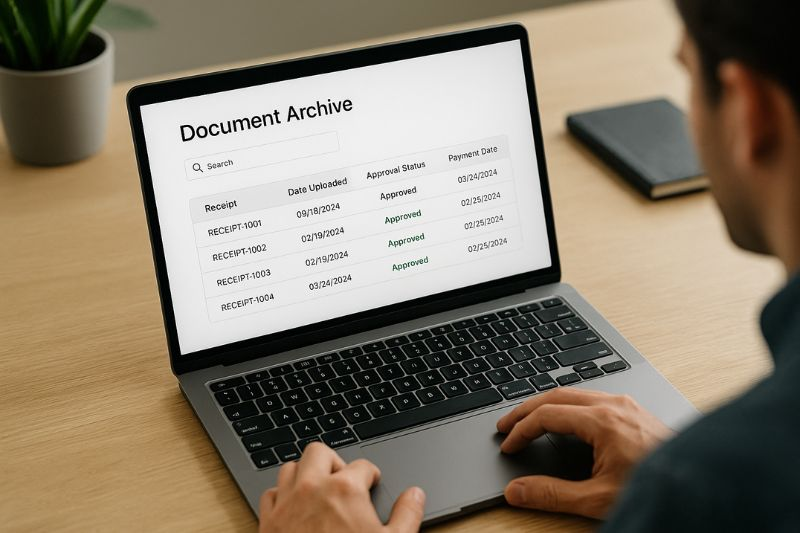
Managing business expenses is much easier when receipts are organized properly. Small business owners often receive receipts through email, mobile apps, online purchases, and paper invoices. Without a clear system, these records can become difficult to find when preparing financial reports, reviewing expenses, or filing taxes.
Organizing digital receipts for small business bookkeeping helps business owners save time, maintain accurate records, and understand where their money goes. A simple digital filing system can reduce paperwork and make financial management more efficient, even when a business has a limited budget.
Business owners can also explore helpful technology resources from ScoopByte to discover practical information about digital tools, productivity, and everyday business technology. Combining useful tools with consistent bookkeeping habits can make receipt management much less stressful.
Why Digital Receipt Organization Matters
Digital receipts provide evidence of business purchases and expenses. They may include receipts for office supplies, software subscriptions, travel, advertising, equipment, and other operating costs.
Keeping these documents organized offers several advantages.
Faster Expense Tracking
When receipts are stored in clearly labeled folders, business owners can locate specific transactions without searching through hundreds of emails or paper documents. This makes monthly bookkeeping faster and reduces the time spent reviewing expenses.
More Accurate Financial Records
A receipt provides details such as the purchase date, vendor, amount, and items purchased. Matching receipts with bank statements and accounting records helps identify missing transactions, duplicate entries, and incorrect expense classifications.
Easier Tax Preparation
Organized records make it easier to review potentially deductible business expenses and provide supporting documentation when necessary. The applicable documentation requirements depend on the business location and tax rules.
Better Business Decisions
Reviewing receipts regularly helps owners identify recurring subscriptions, unnecessary purchases, and opportunities to reduce costs. Over time, these small improvements can support better budgeting and financial planning.
Step 1: Choose a Central Location for Digital Receipts
The first step is deciding where all business receipts will be stored. Saving files across personal email accounts, desktop folders, messaging applications, and mobile devices makes bookkeeping unnecessarily complicated.
Choose one primary location, such as a dedicated cloud storage folder or a receipt management application.
The right option depends on the size of the business, the number of monthly transactions, and the available budget.
Use Cloud Storage for Easy Access
Cloud storage allows authorized users to access documents from different devices. This can be useful for business owners who work remotely or collaborate with an accountant.
Create a dedicated folder named “Business Receipts” and use it exclusively for financial documents. Avoid mixing personal shopping receipts with business purchases.
Consider Accounting Software
Businesses that process many transactions may benefit from accounting software with receipt capture and expense tracking features. Some tools allow users to upload receipt images, extract transaction details, and connect expenses with accounting records.
Before choosing software, review its pricing, supported integrations, security features, and export options. A small business with only a few monthly purchases may need nothing more than a well-organized cloud folder and a spreadsheet.
Step 2: Create a Clear Folder Structure
A consistent folder structure makes digital receipt organization easier to maintain. Without a standard system, files can accumulate in one large folder where searching becomes difficult.
One practical approach is to organize receipts by year, month, and expense category.
For example, a business might use the following structure:
- Business Receipts
- 2026
- January
- Office Supplies
- Software
- Travel
- Marketing
- February
- Office Supplies
- Software
- Travel
- Marketing
- January
- 2026
This structure allows business owners to locate records by date or expense type.
Organize According to Business Needs
Not every business needs a separate folder for every expense category. A freelance designer might create folders for software, equipment, client meetings, and internet services. A retail business might need separate categories for inventory, shipping, utilities, and office expenses.
Start with a few useful categories and add more only when necessary. The goal is to create a system that remains simple enough to use every day.
Step 3: Use Consistent File Names
A well-designed folder structure is helpful, but descriptive file names make searches even faster.
Instead of saving a receipt as “IMG_5837.jpg” or “receipt.pdf,” rename it using a predictable format.
A useful naming format is:
YYYY-MM-DD_Vendor_Amount_Category
For example:
- 2026-03-05_OfficeDepot_85.40_Supplies.pdf
- 2026-03-08_CloudSoftware_29.99_Subscription.pdf
- 2026-03-12_CityTaxi_24.50_Travel.jpg
These names make it easier to identify the transaction without opening every document.
Use the same format for all receipts. Consistency matters more than choosing a complicated naming convention.
If the business processes hundreds of transactions, consider including an invoice number or transaction reference when appropriate. Avoid including unnecessary sensitive information in file names.
Step 4: Capture Receipts Immediately
One common bookkeeping problem is delaying receipt collection. Business owners may intend to organize their documents later, but receipts can become lost or forgotten.
Build receipt capture into the purchasing process.
Save Email Receipts
Create a dedicated email label or folder called “Business Receipts.” When purchasing software, office supplies, or services online, move the confirmation email into that folder.
Download important invoices and receipts as PDF files when possible. Keep the original email if it contains additional information about the purchase.
Scan Paper Receipts
Use a smartphone scanning application or a document scanner to capture paper receipts. Make sure the image is clear and includes the vendor name, date, total amount, and other relevant details.
Save the scan using your standard file-naming format and place it in the correct folder.
Record Digital Purchases
For online transactions, save the actual invoice or receipt rather than relying only on a bank notification. Bank statements can confirm that money was spent, but they may not explain exactly what was purchased.
If a vendor provides an updated invoice or refund confirmation, retain that document with the original transaction records.
Step 5: Categorize Expenses Correctly
Organizing receipts by category makes financial reporting more useful. It also helps business owners understand how money is being spent.
Common business expense categories include:
- Office supplies
- Software and subscriptions
- Advertising and marketing
- Travel and transportation
- Equipment and technology
- Shipping and delivery
- Professional services
- Utilities and internet
Choose categories that match the business’s accounting system. Avoid creating too many overlapping categories because this can make reports harder to interpret.
Separate Personal and Business Purchases
When possible, use a dedicated business bank account and payment card for business transactions. This reduces confusion when reviewing receipts and reconciling bank statements.
If a purchase includes both personal and business items, keep the receipt and document the business portion according to the applicable accounting rules. Ask an accountant when the correct treatment is unclear.
Step 6: Match Receipts With Bank Transactions
Saving a receipt is only part of good bookkeeping. The next step is making sure the receipt matches the transaction recorded in the accounting system.
During a weekly or monthly review, compare receipts with bank statements, credit card statements, and accounting records.
Check the following details:
- Transaction date
- Vendor or merchant
- Total amount paid
- Expense category
- Payment method
- Refunds or credits, where applicable
If a transaction has no receipt, contact the vendor to request another copy. If the receipt amount differs from the bank transaction, investigate whether taxes, tips, foreign currency conversion, or additional charges explain the difference.
Regular reconciliation helps prevent small errors from becoming larger problems at the end of the financial year.
Step 7: Protect Digital Receipts With Backups
Digital records are convenient, but they can still be lost through accidental deletion, device failure, account access problems, or cyberattacks.
Create a backup routine that protects important financial documents.
Keep copies in a secure location separate from the primary storage system. Depending on the business’s needs, this could include encrypted external storage or a separate backup service.
Use strong, unique passwords and enable multifactor authentication where available. Limit access to employees and contractors who genuinely need the records.
For more guidance on protecting business information, the U.S. Cybersecurity and Infrastructure Security Agency provides practical recommendations for account security and reducing common cyber risks.
Also, test backups periodically to ensure the files can actually be restored. A backup that cannot be accessed when needed provides little practical protection.
Step 8: Establish a Weekly Receipt Management Routine
Even a well-designed filing system can become disorganized if nobody maintains it. Set aside a short period each week to process new receipts.
A simple routine might include the following tasks:
- Collect receipts from email, mobile devices, and paper purchases.
- Download or scan the documents.
- Rename each file consistently.
- Move each receipt into the correct folder.
- Enter or verify the expense in the accounting system.
- Match transactions with bank or credit card records.
- Investigate missing documents or incorrect amounts.
At the end of each month, review the folders to make sure receipts are complete and properly categorized.
Assign responsibility for this process if multiple employees handle business purchases. A clear process prevents everyone from assuming that someone else will save the documents.
Step 9: Follow Applicable Recordkeeping Requirements
Businesses should understand how long they need to retain receipts and supporting financial documents. Retention periods vary by country, tax authority, document type, and individual circumstances.
For example, U.S. businesses should review the recordkeeping guidance provided by the relevant tax authorities and consult a qualified tax professional when necessary.
Keep records in a readable format and ensure that they remain accessible for the required period. If paper originals are subject to specific legal or regulatory requirements, confirm those requirements before discarding them after scanning.
A good receipt management system should also protect confidential customer, employee, and financial information.
Common Digital Receipt Management Mistakes to Avoid
Several avoidable mistakes can make bookkeeping less reliable.
Saving everything in one folder: A large folder without clear naming conventions makes documents difficult to locate.
Using inconsistent file names: Different naming styles reduce search accuracy and create unnecessary work.
Forgetting refunds and credit notes: Keep refund confirmations with the original transaction so the records reflect what was actually paid.
Relying only on bank statements: Statements show payment activity but may not provide sufficient purchase details.
Skipping backups: Important receipts may become unavailable if a device or account is compromised.
Waiting until tax season: Processing receipts throughout the year is generally easier than organizing months of transactions at once.
Avoiding these mistakes helps maintain accurate, accessible, and useful business records.
Conclusion
Organizing digital receipts for small business bookkeeping does not require an expensive system. A central storage location, consistent file names, sensible expense categories, regular transaction matching, and reliable backups can make a substantial difference.
Start with a simple process that fits the size of your business, then improve it as transaction volumes increase. Capture receipts promptly, review records every week, and follow the recordkeeping requirements that apply to your business.
With consistent habits and suitable digital tools, small business owners can spend less time searching for paperwork and more time managing their operations, monitoring expenses, and planning for growth.
